

- What is a recurring payment?
- How do recurring payments work?
- The role of tokenization in securing recurring payments
- Recurring payment types
- Which merchants use recurring payments?
- How recurring payments benefit merchants
- Recurring payment software: What options are there?
- How to set up recurring payments
- How to reduce failed recurring charges and chargebacks
- Recurring payments with Akurateco
The market for subscription-based companies has grown significantly in the last several years, and customers now expect their subscriptions to renew without re-entering card details. The Business Research Company’s Recurring Payments Market Report 2026 puts the global recurring payments market at US$199.37 billion in 2026, rising to US$285.73 billion by 2030.
With recurring payments, your customers don’t have to remember due dates: the money is taken from the card automatically and safely, with the help of tokenization. Below, Akurateco explains what a recurring payment is, how recurring payment processing works, how to choose a recurring payment system and how to keep failed charges low. The guide is written for merchants that bill customers on a schedule and for PSPs that offer recurring billing to their merchants.
What is a recurring payment?
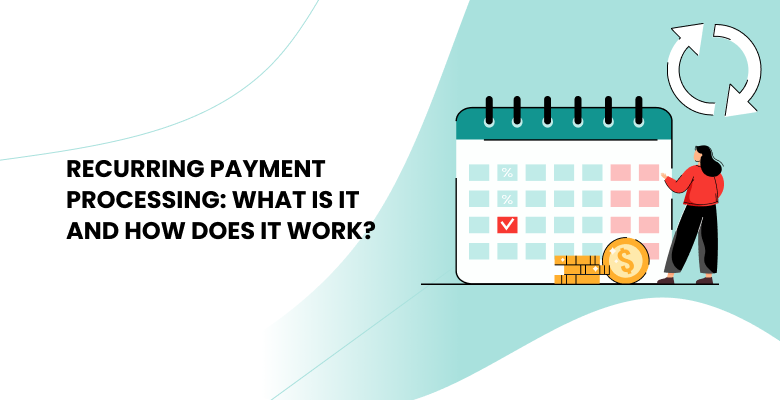
A recurring payment is a charge taken automatically on a schedule the customer agreed to, using the payment details they provided at the first payment. It is a billing arrangement rather than a payment method: the cardholder agrees to the payment schedule once and submits their details at the initial payment, so they don’t have to pay manually every month, week, quarter, or year. Recurring payment processing is the work behind it: the provider stores the credentials securely, runs the schedule and submits each charge for authorization.
Think of it as a set-it-and-forget-it way of paying bills. It makes life easier for merchants and customers alike. As a merchant, you don’t need to spend time processing each payment, while your customers don’t have to enter their card data every time. Let’s see how it works.
How do recurring payments work?
The process involves several key steps:
- Subscription. The client goes to a website and selects a product or service to subscribe to (a monthly subscription box, a software service, or any other regularly consumed product). Then, the client receives information about the subscription, including the payment amount and how often it will occur.
- Checkout. The customer visits the checkout page to fill out their details (credit card, debit card, or other preferred method). At this point, they are asked whether to store their details for future payments.
- Consent. The client agrees to have their payment details, such as a credit or debit card, stored for future charges.
- Tokenization. Once the client agrees, the provider replaces the card details with a token.
- Payment Information Storage. The PCI DSS-validated provider keeps the card details and billing address in its secure vault. The merchant keeps only the token.
- Payment Processing. At the agreed-upon times, the payment gateway submits the charge to the acquirer using the token.
- Authorization. The issuing bank checks that the card is still valid and that the customer has sufficient funds or credit, then approves or declines the charge.
- Payment Completion. If the charge is approved, the agreed amount is debited from the customer’s card at the scheduled time.
The role of tokenization in securing recurring payments
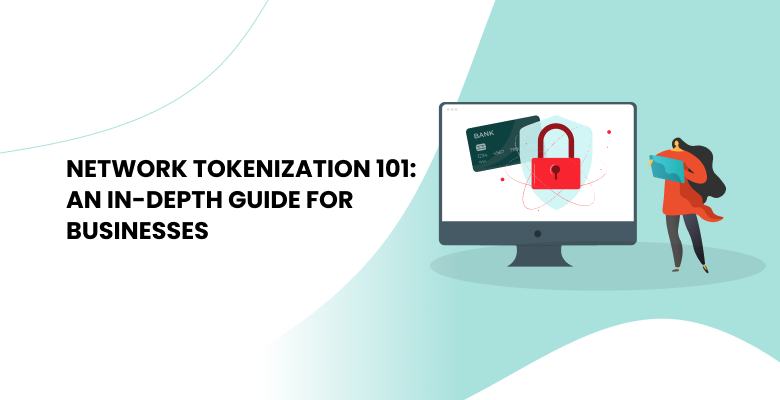
After the client enters their payment details during signup, they may have concerns about the security of their financial information. This is where tokenization steps in, replacing their sensitive card details with a unique, random string of characters called a token. The main advantage is that the actual card number never enters the merchant’s systems. If those systems are breached, attackers get tokens, which cannot be used as card numbers outside that merchant’s payment setup.
Where tokenization happens also matters for compliance. When the payment provider collects and tokenizes the card, card numbers stay out of your systems, which reduces your PCI DSS scope. It does not remove it: in some cases you still have to meet the requirements that apply to your setup. Our guide explains who PCI DSS applies to and what it requires.
Recurring payments and one-click payments: same stored credentials
The token created at the first payment serves more than recurring billing. It is a card-on-file credential, and merchants use it in two ways:
- One-click payments: the customer starts a repeat purchase and pays with the saved card instead of typing the card details again.
- Recurring payments: the merchant starts each charge on the schedule the customer agreed to, without the customer taking any action.
Card schemes treat these two cases differently. The first payment, when the card is saved, is initiated by the customer and authenticated with 3D Secure where required. In the EEA and the UK, later merchant-initiated recurring charges fall outside Strong Customer Authentication, while a one-click purchase is still customer-initiated and can trigger a 3D Secure challenge. The saved card details themselves sit with the provider; here is how a card vault stores payment details and returns tokens.
Recurring payment types
Within recurring payment systems, two different types exist, each suited to different billing models.
Fixed recurring payment
Fixed recurring payments offer a predictable and consistent way to pay, with customers charged a set amount at predetermined intervals, typically monthly or annually. For merchants, fixed payments make budgeting easier and reduce the administrative work of invoicing and collecting payments. Customers, in turn, know exactly what to expect from each billing cycle.
Variable recurring payment
With variable recurring payments, the amount changes each billing cycle based on usage, consumption, or other factors. Variable payments let merchants adapt to changing customer needs and usage patterns. At the same time, customers only pay for what they use, which suits services with fluctuating demand.
Which merchants use recurring payments?
Recurring payments suit any merchant whose customers pay regularly for ongoing access. The most frequent users are software and service developers: online cinemas, streaming and music platforms, and business tools mostly work on a subscription model with a monthly charge at a selected rate. Recurring payments are also useful for:
- Hosting companies
- Domain sellers
- Internet service providers
- Cloud providers
- Rental services
- Charitable organizations
- Press and media subscriptions
In short, recurring payments fit wherever regular customers make regular payments.
How recurring payments benefit merchants
Convenience
The most visible advantage of recurring payments is convenience. Customers no longer need to remember due dates or enter their payment details for each transaction, which makes it easier to turn new sign-ups into loyal subscribers. Fewer missed payments also mean fewer service interruptions, and access continues without manual renewals.
Upsells to existing customers
With recurring payments in place, you can also offer additional products to existing customers who keep shopping on your website or app. Because their card is already on file, subscribers can buy an add-on or upgrade their plan in one click.
Saving time
Recurring payments automate the billing process, freeing your team from manual tasks like invoicing and chasing late payments. This allows them to focus on higher-value activities like customer service, product development, and marketing.
Predictable revenue
Merchants with a subscription model face less revenue uncertainty. With a base of subscribed customers, it is much easier to forecast revenue and plan the company’s budget.
Recurring payment software: What options are there?
Recurring payments have become an integral part of modern commerce, especially for subscription-based models. Merchants have several options for charging customers on a recurring basis, and the choice usually comes down to whether they need basic recurring billing or a broader payment orchestration platform with tokenization, analytics, reporting, and fraud prevention.
Recurring payment software
Recurring payment software is standalone software that bills customers automatically at regular intervals. It’s designed for merchants that offer subscription-based services, memberships, or recurring products. Typical features include subscription management, billing and invoicing, customer management, reporting, and fraud prevention. Billing software manages plans and invoices, but it still needs a payment gateway to charge cards, and its functionality is generally more limited.
Payment orchestration platform
A payment orchestration platform connects a merchant to multiple acquirers and payment methods through one integration and adds tools such as tokenization, routing and recurring billing on top. Building a recurring payment system in-house takes expertise in security, payment processing, and user interface design, and the system has to be maintained after launch.
For PSPs and acquiring banks, a white-label platform removes that build. They get pre-built infrastructure, offer recurring billing to their merchants under their own brand, and reach the market faster at a lower development cost.
What to check when choosing a recurring payment provider
Whichever option you choose, compare providers on the points that decide how recurring billing works day to day:
- Where tokenization happens. If the provider tokenizes cards on its side, card numbers stay out of your systems and your PCI DSS scope is smaller.
- How schedules are set. Some providers let you configure intervals and pricing tiers in an admin panel; others expect a recurring parameter in each payment request sent through the API.
- Fixed and variable amounts. The system should handle both a set price and usage-based charges.
- Declined charge handling. Check whether the provider retries failed charges and keeps stored cards up to date (covered below).
- Invoice-based billing. Payment links let you bill customers who prefer to pay from an invoice.
- Reporting. You need to see successful and declined charges, turnover, and conversion in one place.
How to set up recurring payments
If you’ve chosen a payment orchestration platform, setting up recurring payments looks like this:
- Choose a platform that supports recurring billing and complete its onboarding.
- Share your branding guidelines with the provider. The provider then configures integrations and the checkout page to match your brand (page style, brand logo, color scheme, the color of buttons and icons, input format, etc.).
- Set the basic elements of the transaction: start date, billing frequency, expiration date, and whether the amount is fixed or variable.
- Issue invoices and view orders in your account. The system generates reports and statistics showing the total number of transactions, including successful ones, the average transaction value, turnover, and conversion rate.
- Connect payments to your website. Add a recurring parameter to the payment request sent through the API, or send customers payment links for invoice-based billing.
How to reduce failed recurring charges and chargebacks
A recurring payment can fail long after the customer signed up: the card expires, the bank declines the charge, or the customer doesn’t recognize the charge on their statement and disputes it. These steps keep failed charges and chargebacks down:
- Retry declined charges on a schedule. A declined attempt is often temporary, for example when the card has insufficient funds that day. Retrying over the following days gives the payment another chance instead of cancelling the subscription at the first decline.
- Keep stored cards up to date. Cards expire and get reissued. A card account updater refreshes stored card details when the issuing bank replaces a card, so the next charge isn’t declined because of outdated details.
- Make every charge recognizable. Use a statement descriptor that clearly names your shop or service, and email the customer when a charge is made. A customer who doesn’t recognize a charge on their bank statement may request a chargeback.
- Show the full price at signup. Display the recurring amount, any fees, and the terms for moving from a trial to a paid plan on the signup page, not on later pages. Charges the customer didn’t expect lead to disputes.
Recurring payments with Akurateco
Akurateco supports recurring payments and subscriptions end to end: scheduled charges with fixed or changing amounts, trial periods, customer consent at checkout, tokenization, payment links for recurring invoices, and flexible retry schedules for declined charges. Akurateco is the gateway and payment orchestration layer between merchants, PSPs and acquirers, with 700+ integrations with banks and payment providers. It does not process transactions itself.
- Amount strategies. A schedule can charge the same amount every cycle, raise the amount by a fixed sum or a percentage with each subsequent charge, or set every charge and its amount individually. For example: $10 in month one, $15 in month two, $20 in month three. This covers introductory pricing, staged price increases and instalment-style plans without custom development.
- Trial periods. Merchants configure a trial and set the date of the first paid charge, so billing starts automatically when the trial ends.
- Customer consent. At checkout, the customer chooses between subscribing to recurring charges and making a one-time payment, so every stored-card subscription starts from an explicit customer decision.
- Flexible retry schedules. When a recurring charge is declined, the platform retries it on a configurable schedule. This recovers revenue that would otherwise be lost to involuntary churn.
- Pay by Link. Customers pay from a personalized invoice with clear payment details. For recurring billing, the customer opens the link, pays at checkout and agrees to store their card. The system then charges the card on the chosen schedule and notifies the customer by email.
- Security. Akurateco is PCI DSS Level 1 certified, the highest level of the standard, and card data is tokenized and stored within that environment.
- Onboarding. Akurateco’s team handles onboarding and configuration, and the platform integrates with your existing systems. You don’t need to build recurring billing functionality yourself.
- Analytics. Reporting shows subscription billing performance in one place, so you can spot declines and revenue trends early.
PSPs and acquiring banks can offer the same recurring capabilities to their merchants under their own brand on Akurateco’s white-label platform.
Book a free demo to see recurring billing on the platform.
Recurring Payments FAQ
What is the difference between a recurring payment and a one-time payment?
A recurring payment is charged automatically on a regular schedule, such as weekly, monthly or yearly, for an ongoing service or subscription the customer agreed to. A one-time payment is a single transaction for a specific product or service. It is billed once, and the customer has to pay again manually for any later purchase.
Which merchants benefit most from recurring payments?
Merchants with regular, predictable billing benefit most. Beyond subscription services, SaaS providers and membership organizations, recurring payments suit utilities, telecom operators and insurers, which bill the same customers every month or year. For these merchants, automatic charges mean steadier cash flow, fewer missed payments and less manual invoicing.
How can merchants accept recurring payments?
Merchants accept recurring payments through a payment gateway or payment orchestration platform that stores card details as tokens and charges them on a schedule. Subscription billing software, CRM or accounting tools can manage plans and invoices, but they still need a gateway connection to charge cards. Payment links are an option for customers who prefer to pay from an invoice.
What is the difference between recurring payments and one-click payments?
Both use card details saved at the first payment. A one-click payment is a repeat purchase that the customer starts, paying with the saved card instead of entering it again. A recurring payment is started by the merchant on a schedule the customer agreed to, with no action from the customer. Card schemes treat the first as customer-initiated and the second as merchant-initiated.
Do merchants need PCI DSS compliance to store cards for recurring billing?
Yes. If a merchant stores card numbers itself, its systems fall fully under PCI DSS. If a PCI DSS-compliant provider collects and tokenizes the cards, the merchant keeps only tokens and its compliance scope is reduced. The merchant still has to meet the requirements that apply to its setup.
What happens when a recurring payment fails?
The charge is declined and the payment stays unpaid until it is recovered. Merchants usually retry the charge over the following days, and a card account updater can replace expired or reissued card details before the next attempt. Notify the customer so they can update their card, and pause access only after the retries have failed.